 shinbo
Get started: OpenRouter setup and your first task
One OpenRouter key gets you started; after that, any provider, subscription, CLI sign-in or local model can drive each role.
These guides describe the current development source. The published v0.7.1 release can differ; check release notes before following a workflow.
One key to start. Any route after that.
Shinbo runs on whatever OpenAI-compatible endpoint you point it at. It ships pointed at OpenRouter on the Shinbo Free Router. Every job the app gives a model, from the workspace thread to tagging a note, is a role you can reassign.
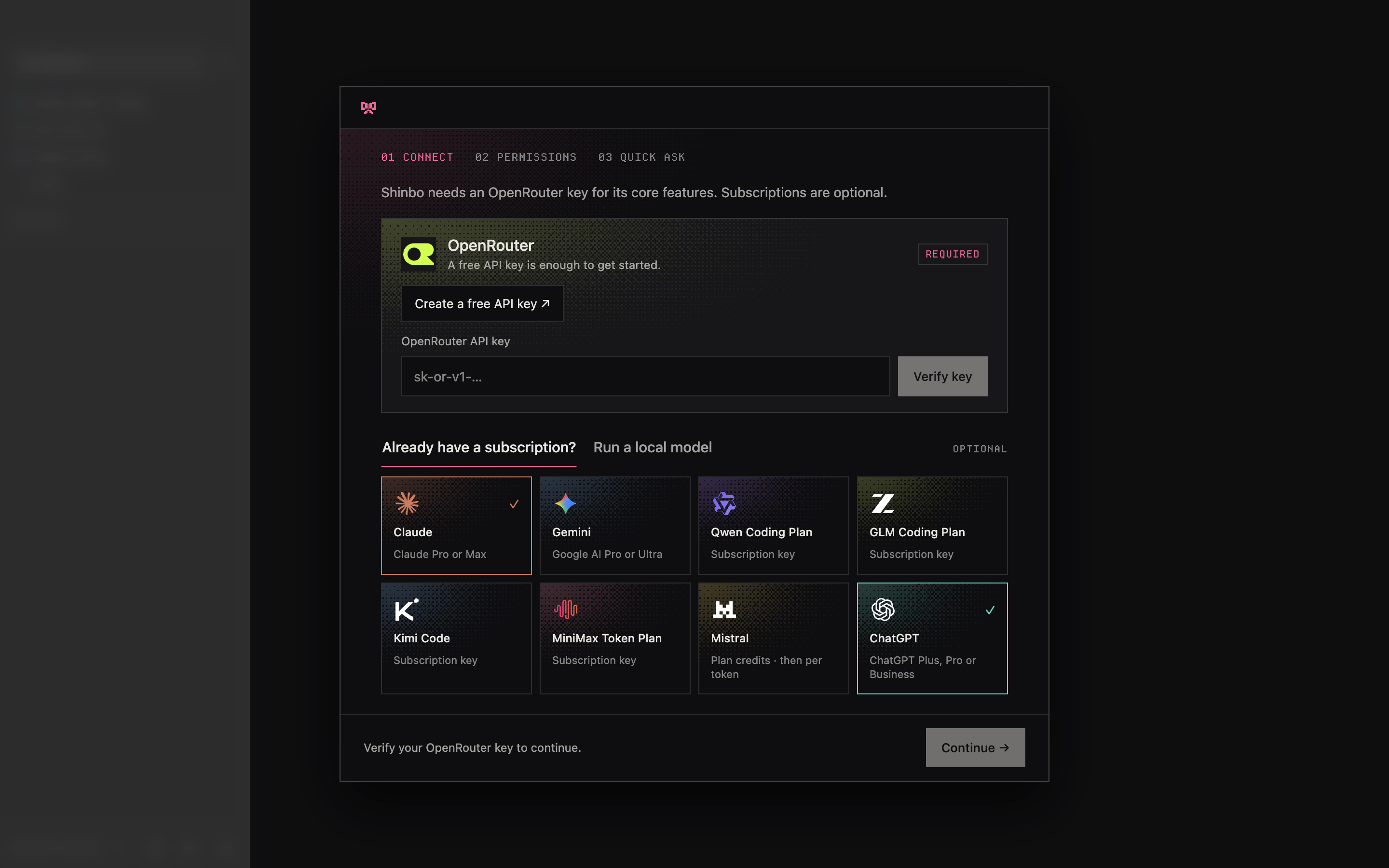
- Connect. On first launch, paste an OpenRouter API key. A key from OpenRouter's API key settings is required; a free-tier key can complete verification. Shinbo verifies it with OpenRouter before Continue unlocks; the optional subscription tiles do not replace this step.
- Permissions and Quick Ask follow; both are optional. Finish setup enters the workspace. Setup resumes after a restart.
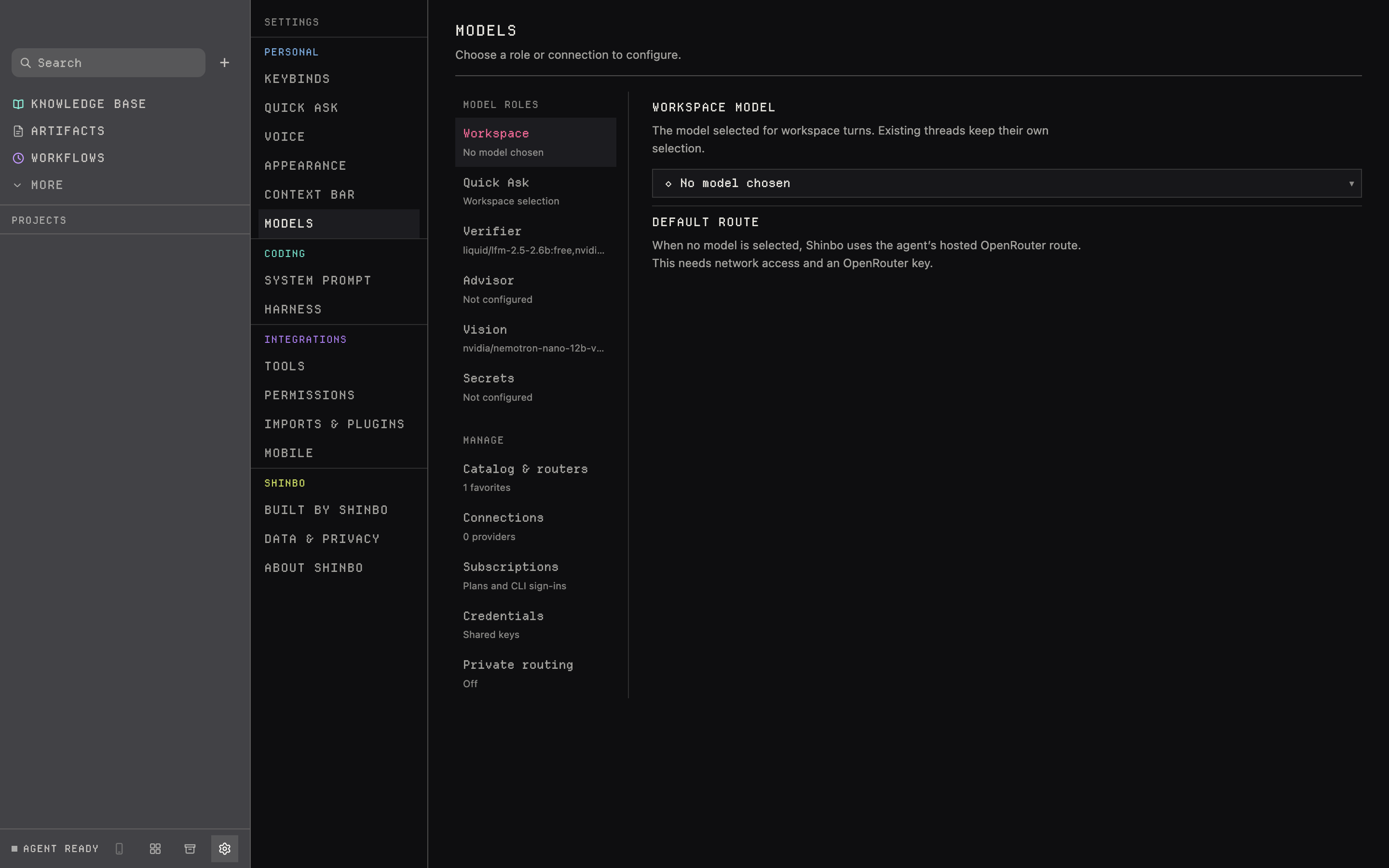
- Open Settings → Models. Pick a role on the left, choose its model and route on the right, save the panel.
- To add a provider, open Connections, pick a preset chip or type your own base URL, and name the environment variable that holds the key.
Complete your first useful task
Start with the installer for your system: Apple silicon Mac or Windows x64. The app is free; hosted models and coding-agent subscriptions have their own costs and limits.
- Create a small sample folder containing a text file you can share with your chosen model.
- After setup, open a thread in that folder and select an available model.
- Ask: “Read the text file in this folder. Summarize it in three bullets and list any unanswered questions. Do not edit files.”
- Review any permission request, then compare the answer with the file. A completed, accurate answer is your first result.
If Continue stays locked, the OpenRouter key has not verified; connecting a subscription does not replace it. If a turn fails, read the provider error and pick another route. Keep API keys out of prompts. Once one task works, try the two-agent handoff.
Six roles, one panel at a time.
The left list in Settings → Models holds Workspace, Quick Ask, Verifier, Advisor, Vision and Secrets, then Catalog & routers, Connections, Subscriptions, Credentials and Private routing. Unsaved drafts stay put when you switch panels.
- Workspace
- the thread's model
- Quick Ask
- the notch composer
- Verifier
- clears gated calls in Auto mode
- Advisor
- a stronger model consulted mid-turn
- Vision
- answers about an image
- Secrets
- handles the secret tool
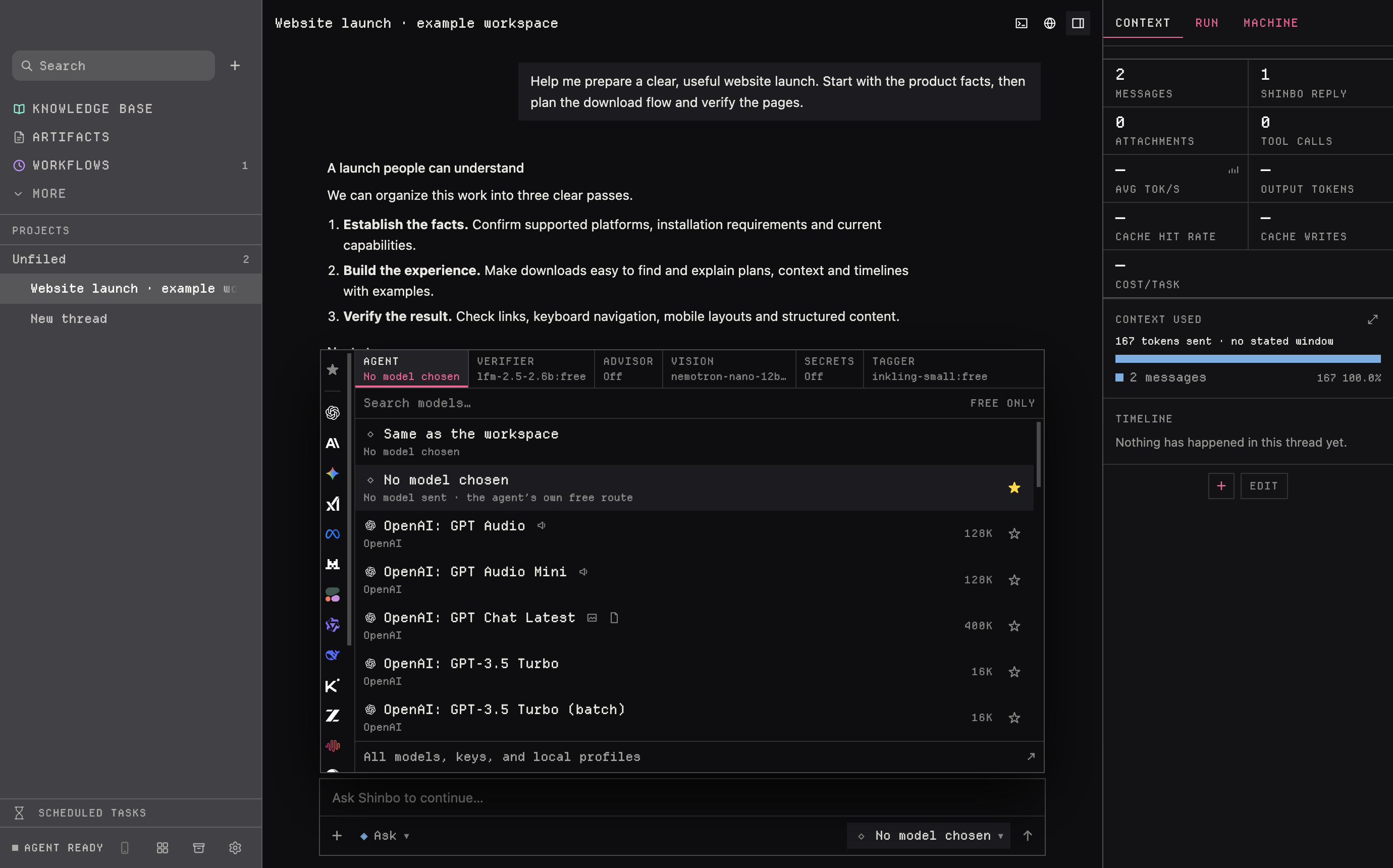
Secondary roles and council seats offer API routes only; the ChatGPT-subscription choice is not in those pickers. If a role's provider has been removed, restore it or pick another route before retrying. A task's Stop cancels its advisor and vision requests; stopping a council cancels pending seats.
Providers, plans and sign-ins.
Eight provider presets come with their base URL filled in, and a ninth is whatever you type. Nine named plans sit beside them: five metered keys and four subscriptions. Three CLI sign-ins carry over as they are.
- Presets
- OpenRouter · Z.AI · DeepSeek · OpenCode Zen · OpenCode Go
- Local presets
- LM Studio · Ollama · llama.cpp
- Metered keys
- OpenAI · Anthropic · DeepSeek · Gemini · Mistral
- Subscriptions
- Qwen Coding Plan · GLM Coding Plan · Kimi Code · MiniMax
- CLI sign-ins
- Claude Code · Codex · Gemini CLI
Pick a codex: model. Shinbo reads the sign-in codex login stored and relays the turn over a loopback port only Shinbo holds the key to. No binary is spawned; the turn stays Shinbo's, with its prompt, tools and permission mode, and draws on the plan's five-hour window. Claude Code and Gemini CLI spawn as themselves under the harness instead.
Mistral is monthly API credits, metered after. Keys are keychain-encrypted; a credential setting names an environment variable (OPENROUTER_API_KEY, say) and the key reaches the agent only in its spawn environment. Model metadata refreshes daily from models.dev and the OpenRouter catalog with a 24-hour cache; Reload model catalogs forces it, and cached metadata can lag the provider.
Any OpenAI-compatible Chat Completions endpoint works. The presets fill in 127.0.0.1:1234, 11434 and 8080. Local endpoints are allowed over loopback http only; anything else must be https. A keyless server can leave the credential variable empty. Test calls GET /models, then one throwaway completion with a tool advertised.
The secondary models.
Small jobs run on their own small models. Each takes a model, an endpoint, a credential variable and a system prompt, and can be a free hosted model, a local server, or off. Where a row names a hosted model, it is the first link of a three-model fallback chain.
| Subsystem | What it decides | Ships with | Budget |
|---|---|---|---|
| Advisor | A stronger model the agent consults mid-turn with the transcript so far | off until you pick one | 120 s · 1024 tokens |
| Vision | Answers one question about one image for a model that cannot see |  nvidia/nemotron-nano-12b-v2-vl:free nvidia/nemotron-nano-12b-v2-vl:free | 60 s · 1024 tokens |
| Secrets | Reads a command's output for keys and tokens without them reaching the thread | off until you pick one | 60 s · 1024 tokens |
| Note tagger | Titles and tags a note a moment after it lands in your vault |  liquid/lfm-2.5-2.6b:free liquid/lfm-2.5-2.6b:free | 20 s · 256 tokens |
| Thread namer | Gives a new thread its title once there is enough to name | the free chain | 20 s · 64 tokens |
- The verified OpenRouter key is required even if you only plan to use a subscription or a local model.
- The catalog lists tool-capable models only. Browsing it needs no key; running a turn does.
- A local chat model does not reroute secondary models, web search, voice, catalogs, updates or coding-agent CLIs.
- Paid providers and CLI subscriptions bill as they normally would. A model request is not proof you have access to that model.
- Up to 24 providers, 6 favorite models and 30 entries in the composer picker.
Related: Free model router for the chain, fallback and private routing · Control for what the Verifier clears · Harness for the coding CLIs and their sign-ins.