 shinbo
Plans as dependency graphs, goals and the inspector
A plan is a dependency graph in Markdown; every step whose inputs are ready runs at the same time.
These guides describe the current development source. The published v0.7.1 release can differ; check release notes before following a workflow.
Plan is a tool, not a mode.
The plan tool writes steps to Markdown, each a subagent brief wired to the steps it waits on. Steps whose inputs are done form a wave and run together, up to eight live subagents. Markdown is the store, so a plan you edit by hand still parses.
- In a thread, ask for a plan for a task with several parts. Shinbo writes the steps and their dependencies into the thread's Markdown.
- Open the Plan component in the inspector. Press a node to light the wave it belongs to; watch steps go from waiting to running to done.
- Edit the Markdown if you want to add, drop or rewire a step. A hand-edited plan still parses.
- For work that needs many turns, ask for a goal instead. The thread keeps going until the goal has evidence, hits a blocker or reaches its allowance.
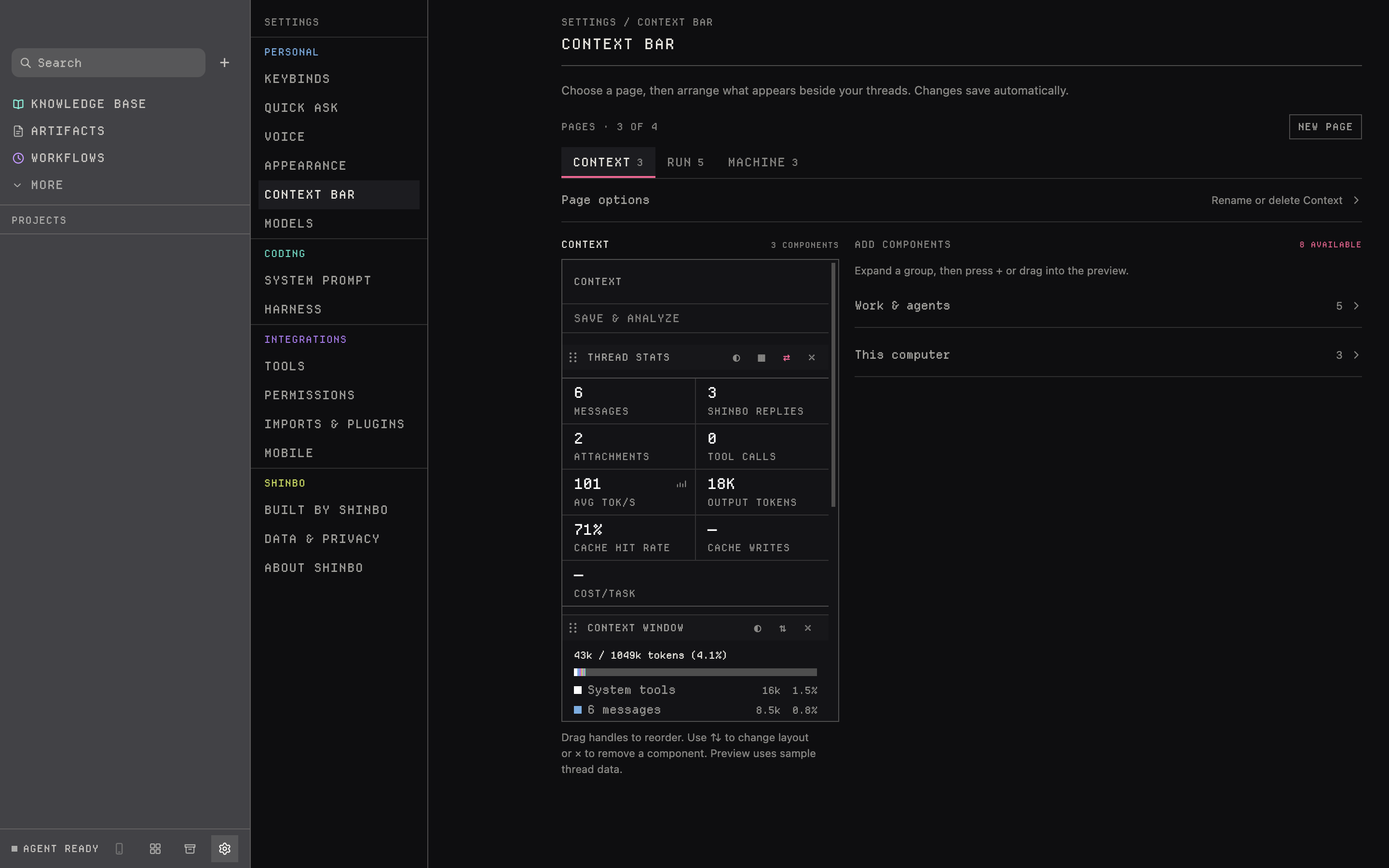
- Settings → Context bar arranges which inspector components you see. Add with +, remove with ×, reorder in the preview.
Waves, not a checklist
A checklist runs one step after another. A graph runs everything whose inputs exist. When a wave finishes, the steps it unblocked form the next one. Each step is a subagent with its own tab and transcript, and it inherits the thread's permission mode.
Plans, task lists and memory notes are saved locally. A saved record is not the same as the model's active context: what is on disk survives a turn, what is in the window may not. Write down decisions you need later.
Goals
A plan organizes dependent steps inside a turn. A goal keeps one thread working across turns toward an objective. It stops when the thread has evidence the goal is met, when the same blocker appears three turns running, or at the ceiling. Every reported model step on the thread counts against the allowance. The invariants live in Rust.
- Token allowance
- 200,000 per goal
- Turn ceiling
- 40
- Resume
- needs allowance left
- Continue
- grants more when tokens or turns run out
- Replacing a goal
- update or clear the unfinished one first; spent allowance stays spent
- Subagent spend
- not counted in the parent goal's ledger
Context
The context tool reports what a turn carries: tokens, window size, share spent, and it can compact from the next turn. Auto-compact triggers at a percentage you set. The Context window component breaks the last turn down by kind, and the inspector accounts per step.
Prompt reinjection and tool-result pruning are experiments, off by default. On a route that publishes no context window the accounting falls back to four characters per token and both experiments are inert.
The inspector
Eleven components ship on three pages, and a layout can hold up to four. Settings → Context bar shows the preview with grouped components beside it; Page options renames or deletes a page. The layout is validated before it is saved.
Any of twenty-one metrics, as tiles or rows
What the last turn carried, by kind, against the window
Every turn as a waterfall of requests, tools and children
The durable checklist the agent keeps for itself
The plan as a graph; pressing a node lights its wave
One row per live child, into the transcript it is writing
Threads this one started, working or idle
Branch, working tree, and the diff behind it
CPU, memory, GPU and network as numbers
The same four as sparklines over the last minute
The same four as 16-cell segmented gauges
- A goal's allowance is checked when usage arrives, so an in-flight request can push past 200,000 tokens before it stops.
- A new goal cannot reset spent allowance; use Continue to grant more.
- Neither reinjection nor pruning guarantees recall; write down what you need later.
- Up to four inspector pages; a layout that fails validation is not saved.
Related: Delegation for how subagents run and are steered, Scheduled workflows for graphs that run on a schedule, Self improvement for the run evidence behind each turn.